
Google Voice Search in 2026: How It Works and SEO Tips

Written by Vijay Mishra — Digital marketing consultant and trainer with 20+ years of hands-on experience in SEO, performance marketing, and content strategy. Vijay has led organic growth strategy for clients across automotive (OSL Prestige BMW), education (JBIHM), and D2C sectors. He writes from direct implementation experience, not theory.
Google retired Assistant on Android from September 4, 2026 and replacing it with Gemini, and voice search itself moved to a new retrieval model in October 2025. Most advice on voice SEO was written before either change.
What is Google voice search?
Google voice search lets you search by speaking instead of typing. You tap the microphone icon in the Google app, in Chrome or in the search box, say your question, and Google either shows results or reads an answer aloud.
It is not the same thing as Google Voice, the calling and texting service with its own phone number. If that is what you came for, the safety section near the end sorts out the difference.
Voice search is also not a separate search engine with its own rules. Your page competes in the same index as every typed query. What changes is the query itself. People speak in full questions, so someone who would type “tv repair in kolkata” is more likely to say “where can I find tv repair technician near me?” Those longer, question-shaped, often local queries are what you are optimizing for.
How Google Voice Search Works?
For years the process had two steps. Automatic speech recognition turned your voice into text, and then Google searched for that text. The weak point was the first step. Google has said that small recognition errors can change the meaning of a query and send the search somewhere wrong.
In October 2025 Google moved Voice Search to a model called Speech-to-Retrieval (S2R). Google describes it as getting answers straight from the spoken query without converting it to text first, and says the result is faster and more reliable. It is already live in multiple languages.
For a publisher, S2R changes less than it sounds like. Your pages are still indexed as text, and the announcement is about how the spoken question is understood, not about a new way of ranking pages. The effect on you is indirect. A mumbled or mispronounced query is more likely to land on the right topic, so matching the meaning of a question matters more than matching its exact words.
The second change is the assistant on the other end. Google Assistant starts disappearing from Android phones, tablets, Wear OS watches and Android Auto on September 4, 2026. Gemini takes over when someone says “Hey Google” or long-presses the power button. Older phones that don’t meet Gemini’s minimum requirements, and regions where Gemini hasn’t launched yet, keep Assistant for now.
Gemini is built for conversation, not single commands. A spoken question can turn into a short back-and-forth, and the answer may be a generated summary instead of one page read aloud. Google does not publish how often it cites or reads out a specific page in those answers, so be wary of anyone quoting exact numbers.
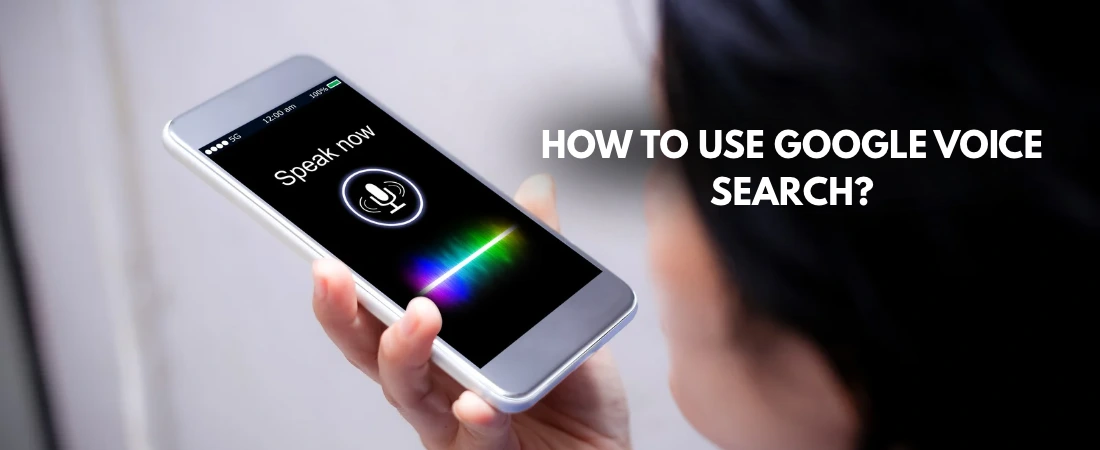
How to use Google voice search
The steps depend on the device.
- Android phone: open the Google app or the search widget, tap the microphone icon and speak. On phones that have moved to Gemini, saying “Hey Google” or long-pressing the power button opens Gemini instead of Assistant.
- iPhone or iPad: install the Google app, tap the microphone icon in the search bar and speak.
- Chrome on a computer: open the Google homepage, click the microphone icon at the end of the search box, allow microphone access when the browser asks, then speak.
If you want to search in a language other than English, set it in the voice settings of the Google app first. Google added voice search in Bangla, Gujarati, Kannada, Malayalam, Marathi, Tamil, Telugu and Urdu alongside Hindi.
If the microphone icon does nothing, check that the Google app or your browser has permission to use the microphone.
What voice results look like
Ask a question out loud and Google usually reads back one answer instead of a page of links. The best-known data on which pages get picked comes from a Backlinko study of 10,000 Google Home results, as reported by Digital Silk and others and summarized here.
| Finding from the study | Figure |
|---|---|
| Voice answers pulled from a featured snippet | 40.7% |
| Voice result URLs using HTTPS | 70.4%, against 50% of desktop results |
| Average load time of a voice result | 4.6 seconds, 52% faster than a standard results page |
| Average domain rating of pages in voice results | 76.8 |
| Results with the exact keyword in the title tag | 1.71% |
Most voice answers also come from pages that already rank in the top three traditional results.
Treat these numbers as direction, not targets. They come from the Google Home era, before S2R and Gemini. What most likely still holds is the pattern: a short, clear answer on a page that already ranks, loads quickly and runs on HTTPS. The low title-tag figure also says something. Voice results match on meaning, so stuffing the exact spoken phrase into a title won’t help much.
How to optimize your website for voice search
Voice search optimization is ordinary SEO with more attention to how questions are phrased. You don’t need a separate set of pages.
Start with real questions. Filter your Search Console queries for long ones that begin with who, what, where, how or can. Check People Also Ask for your topic and read what visitors type into your own site search. A good voice target sounds like something you would say to a friend, such as “how long does a roof repair take”.
Put the answer first. Use the question as a heading, then answer it in a sentence or two before going into detail. That block is what Google can lift into a featured snippet or read aloud, so it has to make sense on its own. The detail below it is for readers who want more.
Write the way people speak. If you would not say a sentence out loud, rewrite it. Semrush’s example is that someone looking for hair dye says “where can I buy hair dye?” and not “buy hair dye”. Natural phrasing matches that better than stacked keywords.
Make the page fast and mobile-friendly. Most voice searches happen on phones. Run your key pages through PageSpeed Insights, serve them over HTTPS and open them on a real phone. Also check that robots.txt, redirects and duplicate pages aren’t getting in Google’s way.
Be realistic about schema. Structured data helps Google understand a page, but it is not a ranking switch. FAQ rich results stopped appearing in Google Search on May 7, 2026, so FAQPage markup no longer produces anything visible. It is still a valid Schema.org type and harmless to leave in place, since Google has said unused structured data doesn’t cause problems for Search. Spend your effort on markup that describes the business and its content accurately: Organization or LocalBusiness, Article, Product. A visible question-and-answer section on the page is still worth keeping, because that format matches how people ask.
Local voice search and Google Business Profile
A lot of spoken queries are local: “best vastu consultant near me”, “Italian restaurant near Park Street”. For those, the answer is usually built from your Google Business Profile, not your website. Ahrefs notes that Google usually pulls answers about your business from that profile when one exists.
Get the basics exactly right. Use your real business name as it appears on your signboard. Your address, phone number and hours should match your website and every other listing. Hours matter more than people expect, because “open now” is one of the most common things people say.
Choose the most specific primary category. A restaurant that sells pizza and pasta should pick Italian restaurant, not a vague label like food or eatery. The category tells Google which spoken queries you are a candidate for.
Collect reviews and reply to them. Spoken queries often ask for the best option, and reviews are one of the signals Google has for that. Add current photos and post updates so the profile doesn’t look abandoned.
Then carry the same details onto your site. Mention the neighborhood and nearby landmarks in plain sentences, such as “our clinic in Ballygunge, five minutes from the metro”. People speak places the way they know them, not the way an address is formatted.
Voice search in India: Hindi, Bengali and Hinglish
India leans on voice more than most markets. At its 2021 Google for India event, Google said that Indian users run voice queries at nearly twice the global rate. One reason is practical: typing in an Indian language on a phone needs specialized keyboards and awkward character composition, and speaking does not. Bangla is among the supported voice languages, which matters if your customers are in Kolkata.
You will see a growth figure of 270% a year quoted often. It comes from Google’s 2018 reporting, so present it as history, not as today’s rate.
Mixed-language speech is the weak spot. One industry executive told exchange4media that assistants can get lost when someone mixes Hindi and English in one sentence. Google has been working on it, including Hinglish support and bilingual search results that show English and local-language pages together.
What that means for a site:
- Write key service pages and FAQs in the language your customers actually speak. Write them natively, don’t machine-translate, and link the versions with hreflang (en-IN, hi, bn).
- Phrase questions the way people say them, including the mixed versions: “Kolkata digital marketing consulant kaun hai” or “কলকাতায় সবচেয়ে ভালো ডেন্টিস্ট কে”.
- Test it yourself. Say your target queries aloud in each language and see what Google returns. Regional voice quality varies, and your own phone will tell you more than a forecast will.
Voice search and Google Ads
Google Ads treats a spoken query as an ordinary search. Your ads enter the same auctions as typed queries, so there is no separate voice campaign to build. What changes is the language you are matching: longer, shaped like a question, often urgent and often local.
A few adjustments help.
- Read the Search Terms report for long queries and for ones that start with where, how, what or can. Add the profitable ones as keywords and add negatives for the irrelevant ones.
- Expect broad match with Smart Bidding to pick up many of these queries even when no keyword matches word for word. That makes regular negative keyword reviews more important, not less.
- Write headlines that answer the question. “Dentist open now in Salt Lake” reads more naturally to someone who just asked that than a line about premium care.
- Add call and location assets. People who ask by voice are often on the move, and calling is sometimes faster than reading.
- Send clicks to a page that gives the answer on the first screen, the same way the organic pages above do.
One caution on reporting. Since May 2026, Google’s documentation says that search terms from AI Mode, AI Overviews, Lens and autocomplete may show Google’s interpretation of intent instead of the literal query. Treat the Search Terms report as a good guide to intent, and not always a transcript of what people typed or said.
How to measure voice search in Search Console and Analytics
You can’t isolate voice traffic in either tool. A voice query is transcribed and then searched like any other, and neither Search Console nor Google Analytics labels it. Google talked about adding a voice filter to Search Console as far back as 2016, and as far as current documentation shows, none has appeared. There is also a blind spot: in 2019 Google said that when the Assistant reads out a featured snippet, that is not counted in Search Console at all.
What you can do is look for the footprint voice leaves behind.
- In Search Console, open the Performance report and add a query filter set to custom (regex). Use
^(who|what|where|when|why|how|can|does|is|are|should)\bfor questions, and(\S+\s+){6,}\S+for queries of seven words or more. - Add a device filter for mobile and compare those long and question-style queries month over month. Growth there is the closest signal you will get.
- In Google Business Profile, track calls, direction requests and messages. For local businesses these are the results voice queries produce.
- In GA4, look at the landing pages you rewrote with answer-first sections. Compare mobile engagement and conversions before and after the change.
- Check what visitors type into your own site search. It shows the questions your pages don’t answer yet.
Report these as proxies and say so. A client who hears “voice traffic is up 40%” will ask where that number came from, and there is no honest source for it.
Also Read: SEO Vs PPC – Which Offers Better ROI
Is Google voice search safe?
Two different things get searched under this question. Google voice search is the spoken-search feature this post covers. Google Voice is a separate service that gives you a phone number for calls and texts. If your question is about the phone service, Google’s Voice help center is the right place. The rest of this section is about voice search.
Google’s privacy policy says it collects and processes what you say when you use audio features such as Voice Search. Whether the audio itself is saved to your account depends on the Voice & Audio Activity setting, which is off by default. For Assistant, Google says it doesn’t retain your audio recordings on its servers by default. Accidental activations can still capture short clips, which is why some people feel their phone is always listening.
To see and control what is saved:
- Open myactivity.google.com and filter by voice and audio to see saved recordings.
- Delete single recordings, or clear them in bulk.
- Under Web & App Activity, turn off the voice and audio option to stop future recordings being saved.
- If you use Gemini, check Gemini Apps Activity as well. Google is also rolling out Search Services History, so on some accounts voice search recordings may now sit there instead.
Frequently asked questions
What is Google voice search?
It is the feature that lets you search Google by speaking into your phone, tablet or computer. Google shows results or reads back a single answer.
How does Google voice search work?
Since October 2025 it runs on Speech-to-Retrieval, which finds answers from the spoken query without first converting it to text. On Android, the assistant behind “Hey Google” is moving from Assistant to Gemini.
How do I use Google voice search?
Tap the microphone icon in the Google app or in the search box in Chrome, allow microphone access and say your question. On Android phones that have moved to Gemini, “Hey Google” opens Gemini.
Is Google voice search the same as Google Voice?
No. Voice search is spoken searching. Google Voice is a separate phone number service for calls and texts.
Is Google voice search safe?
Google collects what you say when you use it, but saving the audio to your account depends on the Voice & Audio Activity setting, which is off by default. You can review and delete recordings at myactivity.google.com.
Can I see voice searches in Google Search Console or Google Analytics?
Not directly. Neither tool labels voice queries. Filter Search Console for long, question-style queries on mobile and treat the result as a proxy.
How do I optimize my website for voice search?
Answer real questions directly under question headings, write in plain spoken language, keep pages fast, mobile-friendly and on HTTPS, and complete your Google Business Profile if you serve a local area.
Does voice search work in Hindi and Bengali?
Yes. Google supports Hindi, Bangla and several other Indian languages for voice search. Mixed Hindi and English queries are still the hardest case for assistants.
Do ads show up for voice searches?
Google Ads treats a spoken query as a normal search, so your ads can enter the same auctions as typed queries. There is no separate voice campaign type to set up.